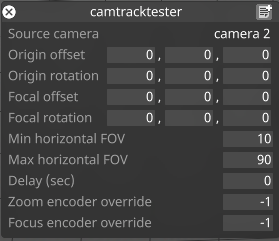
Source camera
Camera used as the source of the positional data
Origin Offset/Rotation
Offset/Rotation to be applied to the source camera's position
Focal offset/Rotation
Offset/Rotation to be applied to the camera's focal plane
Min/Max Horizontal FOV
Min/Max values of the range used to scale the camera's FOV
Delay (sec)
Artificial delay time that can be added to the source camera tracking data
Zoom/Focus Encoder Override
Overrides for the Zoom/Focus encoder value.
Setup a Camera Tracking Simulation
-
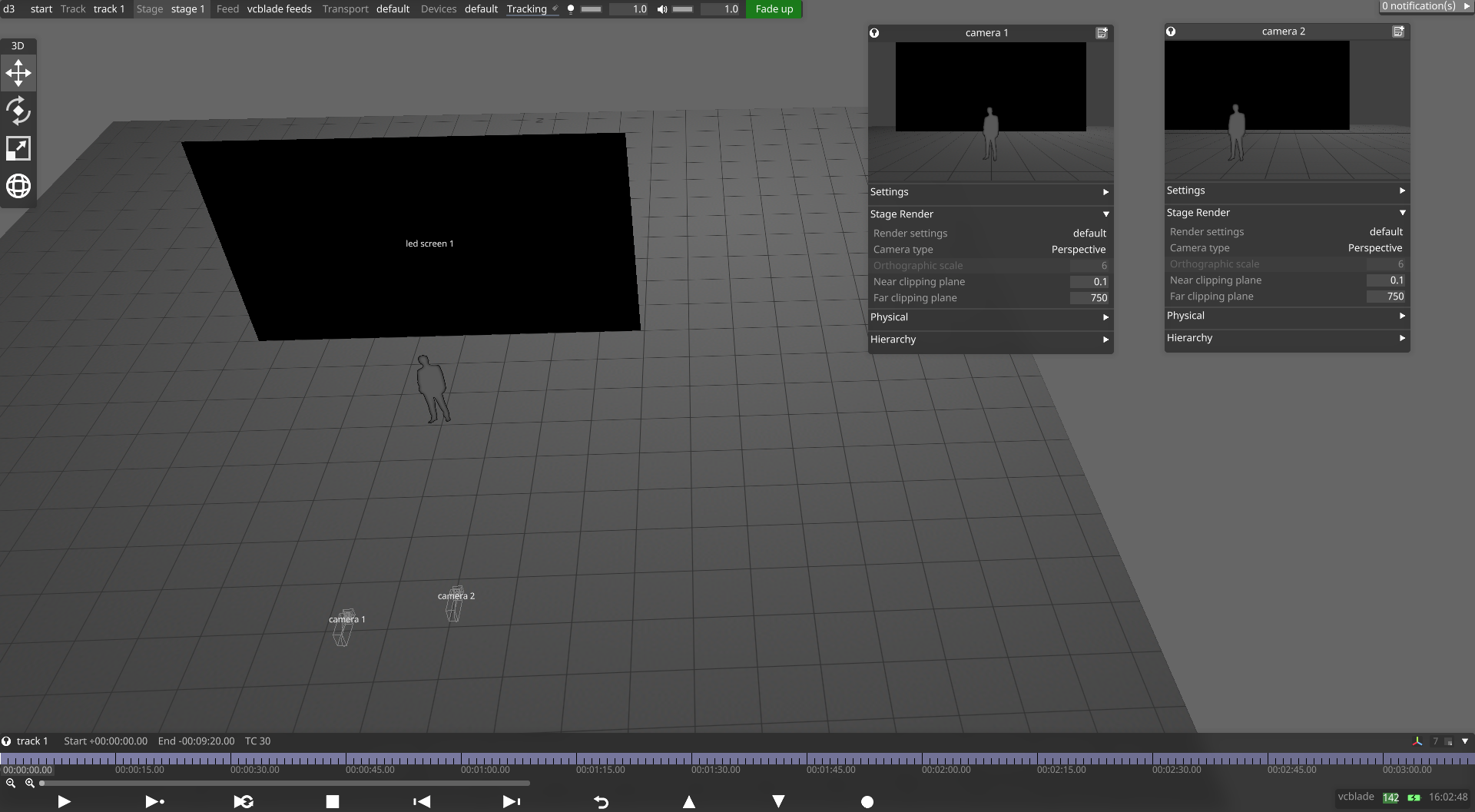
Create two new cameras in the Stage menu; camera 2 will be used to represent the camera tracking system that sends tracking data to camera 1
-
Open the Video Input Patch Editor
-
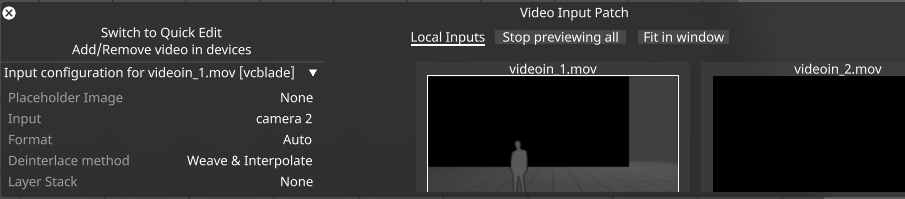
Patch Camera 2 to an empty video input (the image below shows camera 2 mapped to video input 1).
-
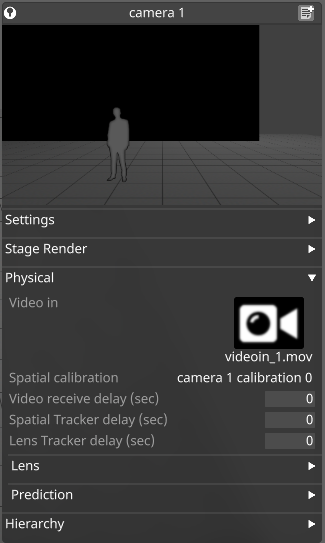
Open the camera 1 properties menu, expand the Physical tab, and assign the Video in field to videoin_1.mov. You should now see the output of camera 2 within the camera 1 preview thumbnail.
-
Open the Devices menu and add a new PositionReceiver Device
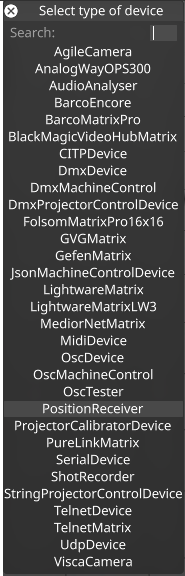
-
Add a new driver to the PositionReceiver Device and choose the CameraTrackerTester from the list of Position Drivers
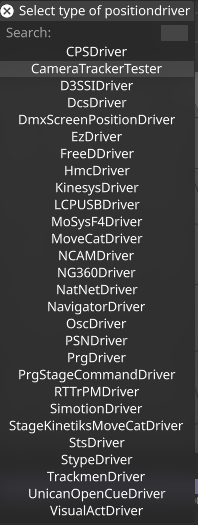
-
Assign the source camera for the CameraTrackerTester to Camera 2
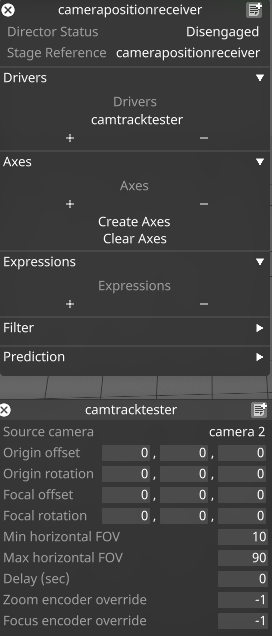
-
Return to the properties menu of Camera 1 and in the Tracking source field, assign the CameraTrackerTester as the course. The Offset, Rotation, and Fields of view will now appear green.

-
Now, as you move Camera 2 in the Stage view, Camera 1 will automatically track along.
