Troubleshooting MIDI
Proving MIDI Input
MIDIOX is a multipurpose MIDI toolkit and is very useful for troubleshooting any MIDI related problems. You can check the MIDI input coming from an external source by doing the following.
-
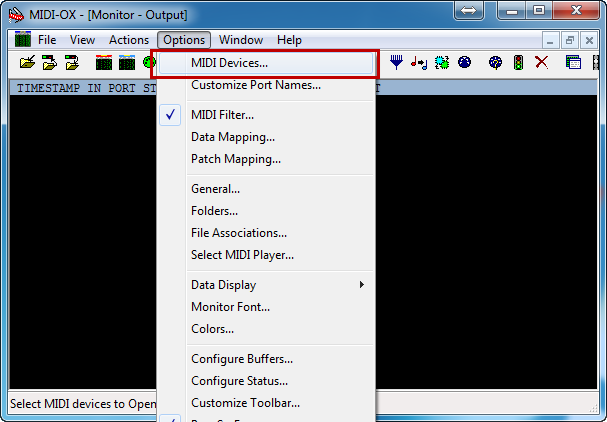
Open up MIDIOX, and select Options > MIDI Devices.
-
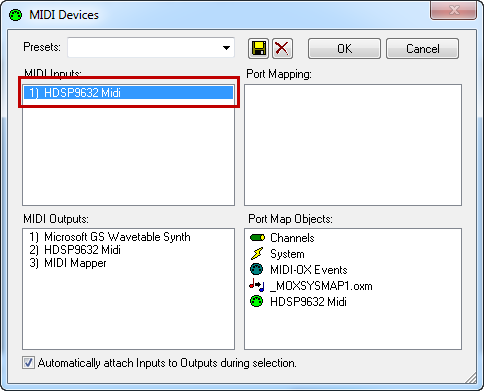
Left-click on you MIDI input. Click OK.
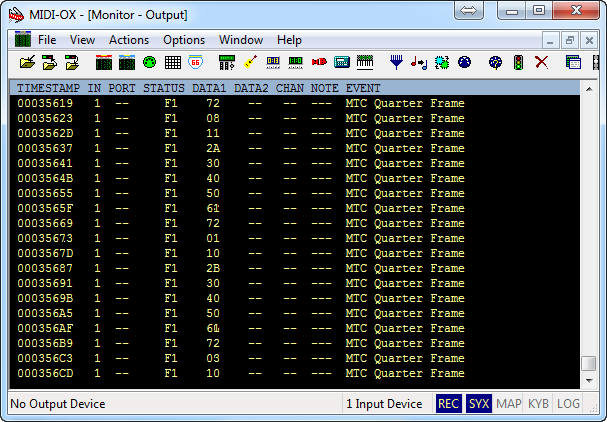
If there is a MIDI signal coming into the selected port you will see the data in the MIDI monitor window.